This is a mirror of official site: http://jasper-net.blogspot.com/

Mono Moving Forward... SUSE/Novell/Attachmate have worked out a deal with Xamarin for a brighter and clearer future for Mono...

| Tuesday, July 19, 2011
I have great news to share with the Mono community.

Today together with SUSE, an Attachmate Business Unit, we we announced:

    Xamarin will be providing the support for all of the existing MonoTouch, Mono for Android and Mono for Visual Studio customers.
    Existing and future SUSE customers that use the Mono Enterprise products on their SLES and SLED systems will continue to receive great support backed by the engineering team at Xamarin.
    Xamarin obtained a perpetual license to all the intellectual property of Mono, MonoTouch, Mono for Android, Mono for Visual Studio and will continue updating and selling those products.
    Starting today, developers will be able to purchase MonoTouch and Mono for Android from the Xamarin store. Existing customers will be able to purchase upgrades.
    Xamarin will be taking over the stewardship of the Mono open source community project. This includes the larger Mono ecosystem of applications that you are familiar with including MonoDevelop and the other Mono-centric in the Mono Organization at GitHub.


Read more: Greg's Cool [Insert Clever Name] of the Day
Read more: Novell/Xamarin Partnership around Mono
QR: mono-moving-forward-susenovellattachmat.html

Posted via email from Jasper-net

Show Assemblies in the Add Reference Dialog Box

|
AssemblyFolders.png

Add Reference Dialog Box

When you are developing software using the .NET framework, you can organise your code into assemblies. This is particularly useful when you are building code libraries. In this situation you can group related code into a single library assembly that is compiled into a dynamic linked library (DLL). This DLL can be referenced by any number of projects that need to use the library code.

When you want to use an external assembly from your project, you can add a reference to it using the Add Reference dialog box. This shows several lists of available assemblies in a tabbed arrangement. The .NET tab shows common assemblies including the standard .NET assemblies. The COM tab lists available COM components and the Projects tab shows the other projects within the solution. Depending upon the version of Visual Studio being used, you may also see a Recent tab, which shows the most recently referenced assemblies. Additionally, you have the option to browse the file system to find the DLL that you wish to use.

If you have built a code library containing a large number of DLLs, it can be frustrating to have to browse to the library folder and add references one by one. In versions of Visual Studio that include the recent items list, you may find that not all library DLLs are shown as the list size is limited. You can alleviate these problems by adding your own assemblies to the ".NET" list.


Adding Library Folders to the Add Reference Dialog Box

When you wish to add your own assemblies to the .NET tab of the dialog box, it is easiest to copy the DLLs into a single folder. You can segregate the DLLs into several folders but as they must be added one folder at a time, keeping them together makes the process easier. In the images in this article I have copied a DLL into the c:\Assemblies folder. To tell Visual Studio where the assemblies reside, you must edit the registry. To do so, run the program "regedit.exe".

NB: If you make a mistake whilst editing the registry you may leave the operating system unusable. If you are not comfortable editing the registry, you should not do so.

Read more: BlackWasp
QR: VSReferencesDialog.aspx

Posted via email from Jasper-net

Task Parallel Library: How To Write a Simple Delay Task

|
I just had a need for a delay task. A simple method that I can call to create a task that will turn a Func<T> into a Task<T> that will execute after a given delay.

The starting point for any Task creation based on an external asynchronous operation, like a Timer callback, is the TaskCompletionSource class.  It provides methods to transition the task it creates to different states. You call SetResult when the operation is completes, SetException if the operation fails, and SetCancelled if you want to cancel the task.

Here’s my RunDelayed method:

private static Task<T> RunDelayed<T>(int millisecondsDelay, Func<T> func)
{
    if (func == null)
    {
        throw new ArgumentNullException("func");
    }
    if (millisecondsDelay < 0)
    {
        throw new ArgumentOutOfRangeException("millisecondsDelay");
    }

    var taskCompletionSource = new TaskCompletionSource<T>();

    var timer = new Timer(self =>
    {
        ((Timer)self).Dispose();
        try
        {
            var result = func();
            taskCompletionSource.SetResult(result);
        }
        catch (Exception exception)
        {
            taskCompletionSource.SetException(exception);
        }
    });
    timer.Change(millisecondsDelay, millisecondsDelay);

    return taskCompletionSource.Task;
}


I simply create a new TaskCompletionSource and a Timer where the callback calls SetResult with the result of the given Func<T>. If the Func<T> throws, we simply catch the exception and call SetException. Finally we start the timer and return the Task.

You would use it like this:

var task = RunDelayed(1000, () => "Hello World!");
task.ContinueWith(t =>
{
    // 'Hello World' is output a second later on a threadpool thread.
    Console.WriteLine(t.Result);
});


Read more: Code rant
QR: task-parallel-library-how-to-write.html

Posted via email from Jasper-net

The impact of United States debt crisis on technology

|
If you work in the financial industry, you may already have a sense of what the impact is. If you happen to work for a firm that manages portfolios, such as an asset management company, if you don’t know what the impact is, you ought to. And if you fall into the former category of not knowing, by the end of this post, you will… :-) I speak from experience here as I used to be a senior technologist for a UK based asset management company.

In case you have been living under a rock, you have heard that the United States Government is wrangling through numerous budgetary issues. The most notable of these issues is whether to raise the debt ceiling. The US is always refinancing its debt. US Treasury securities are issued all of the time. Treasuries are one of the chief ways portfolio managers hedge against risk. PM’s will usually purchase US Treasuries of the same duration as the  security being purchased. It has always been ASSUMED that treasuries have a AAA credit rating. In other words,  there is code out there that  hard codes this assumption. Often,  the process that hydrates a database simply associates the best credit rating with US securities. Ask anybody in the business and they will tell you that it’s just a fact – US Treasuries  have the best credit rating you can have – AAA. Its not even questioned. It’s an assumption like magnetic north, Isaac Newton’s 3 laws of motion, the speed of light, etc.

Read more: Los Techies
QR: https://chart.googleapis.com/chart?chs=80x80&cht=qr&choe=UTF-8&chl=http://lostechies.com/johnpetersen/2011/07/16/the-impact-of-united-states-debt-crisis-on-technology/

Posted via email from Jasper-net

Linux 3.0 Release Delayed

|
A recent Google+ Post by Linus Torvalds indicates that version 3.0 of the Linux kernel will have to wait due to the discovery of a 'subtle pathname lookup bug.' Linus indicates, 'We have a patch, we understand the problem, and it looks ObviouslyCorrect(tm), but I don't think I want to release 3.0 just a couple of hours after applying it.

Read more: Slashdot
QR: Linux-30-Release-Delayed

Posted via email from Jasper-net

Sysinternals Process Explorer v15... Celebrating the 15th anniversary of Sysinternals (and the release of The Windows Sysinternals Administrator's Reference)

|
The Windows Sysinternals Administrator's Reference: We are excited and proud to announce the release of the official Sysinternals book, The Windows Sysinternals Administrator's Reference, from Microsoft Press. Written by Sysinternals founder and tool author Mark Russinovich, and Windows expert Aaron Margosis, the book is over 450 pages and covers all 70+ tools in detail, with full chapters on the major tools like Process Explorer and Autoruns. In addition to tips and tricks in the tool chapters, it includes 17 "Case of the Unexplained…" examples of the tools used by users to solve real-world problems. Buy the book today and take your Windows troubleshooting and systems management skills to the next level.

Process Explorer v15: Process Explorer v15 celebrates the release of the Sysinternals Administrator Reference and the upcoming 15th anniversary of Sysinternals. This major update to Process Explorer, a powerful tool for inspecting and controlling processes, threads, loaded DLLs, and more, adds GPU utilization and memory monitoring on Vista and higher. It also adds the ability to restart services, has a smaller memory footprint, and has visually cleaner performance graphs.

Read more: Greg's Cool [Insert Clever Name] of the Day
QR: sysinternals-process-explorer-v15.html

Posted via email from Jasper-net

Debug Diagnostics Tool v1.2 is now available

|
The Debug Diagnostics Tool (DebugDiag) version 1.2 is now available. You can download the tool from the Microsoft Download Center at the following location:

http://www.microsoft.com/download/en/details.aspx?id=26798

The DebugDiag tool is designed to assist in troubleshooting issues such as hangs, slow performance, memory leaks or memory fragmentation, and crashes in any user-mode process. The tool includes additional debugging scripts focused on Internet Information Services (IIS) applications, web data access components, COM+ and related Microsoft technologies, Sharepoint, and .NET. It provides an extensible object model in the form of COM objects and provides a script host with a built-in reporting framework. It is composed of the following 3 components: a debugging service, a debugger host, and the user interface.

Read more: MS Support
QR: 2580960

Posted via email from Jasper-net

Handling service exceptions within Silverlight applications

|
Most LOB applications in Silverlight work with services to get data to the client. Commonly used technologies on the server-side include WCF, WCF RIA Services and REST Services. When all communication with the service goes well and no service exceptions occur, the Silverlight application has nothing to worry about: it will get its data to display to the user. But what happens when things go down the drain on the server? The database can be down, the load on the server might be too high or a third-party service that needs to be invoked can’t be connected to. We can handle this on the server-side but we should be able to let the end-user know what went wrong. Perhaps, since it’s only a temporary problem, we’d like him to try again in a few seconds.

For that reason, we need to be able to capture the faults on the client. Also, during development, it’s vital to work productively that we know what went wrong within our service. The problem is that Silverlight does not get access to this information, being a browser plugin. There are two solutions available to solve this problem. This article shows you how you can get access to this information and also explains which solution should be followed in what situation.

The source code for this article can be downloaded here.


The cause of the problem

If from Silverlight, we are accessing a service and something goes wrong within that service, we would expect to get access from Silverlight to the error returned by the service. This way, we would have enough information to make adjustments to the service code or would know if perhaps the service was not accessible. Sadly, this is not the case. Every time a service returns a status 500 (Internal Server Error), in Silverlight, we see a 404 (Not Found), as can be seen in the screenshot below.

clip_image001_3.png

Silverlight says that the service can’t be found, even though we know it is accessible.

The reason for this is a limitation of the browser stack: a browser can only return to a plugin (such as Silverlight) a status 200 and 404. That means that if the state is not 200, whatever the state returned, Silverlight will see a 404. Because of this, we have no access to the service error.


How to solve things

Not all hope is lost though, there’s a solution: we can on the server change the status of the response to 200, if something goes wrong. This response is then available to Silverlight (remember, SL can only access 200 and 404) and we can thus read out the fault information within the Silverlight application.

Implementing this change of status code can be done through a service-side behavior that inspects the SOAP message and converts the status to 200. Note that it’s advised to create a specific endpoint for this purpose with this behavior if your service is going to be accessed from other clients than Silverlight!

Read more: Silverlight Show
QR: Handling-service-exceptions-within-Silverlight-applications.aspx

Posted via email from Jasper-net

Silverlight 4.0: Applying TextChange behavior to the TextBox

|
I was asked a question recently about updating the binding source property during the TextChanged event, for the textbox. All those who are using Silverlight may be aware that when the source property is bound with the Textbox’s Text property, then to update the source property value, we must use the LostFocus event on the TextBox. However if you need to make it possible during the TextChanged event, then you need to define custom interactive behavior for the TextBox.

To attach a custom behavior to the TextBox, we need to add a reference to the System.Windows.Interactivity.dll file in our Silverlight project. This is available in Microsoft SDK’s Expression folder as below path:

c:\Program Files (x86)\Microsoft SDKs\Expression\Blend\Silverlight\v4.0\Libraries\System.Windows.Interactivity.dll

This dll provides various classes for element behavior, which can be customized for control specific event. One of the classes we are using in this article is the Behavior class. This class encapsulates state information and ICommands into the attachable object and performs some action when the control raises a specific event. E.g. If we attach a behavior with the TextBox and its TextChanged event, then during the execution when the end-user enters any text in the TextBox, the behavior associated with the TextChanged event will be automatically executed. Let us see some code:

Step 1: Open VS 2010 and create a new Silverlight project. Name the project as ‘SL4_TextBox_Interactivity_Behavior’. In this project, add a reference to ‘System.Windows.Interactivity’ dll.

Step 2: In the project, add a new class file and name it as ‘Data_Behavior_Classes.cs’. This file will contain the TextBox behavior class and data source classes as below:

silverlight-textchanged-behavior.png


Read more: dot net curry
QR: ShowArticle.aspx?ID=737

Posted via email from Jasper-net

Mr. Mouse Turns Your Android Device Into A Motion-Tracking WiFi Mouse

| Monday, July 18, 2011
Settings3.png

There are tons of apps on the Android Market that allow you to control your computer’s mouse pointer from your Android device over WiFi. But this is the first time we’ve come across one that doesn’t use a virtual touch pad to do so. Mr. Mouse for Android is a free tool that, in addition to the providing you with the conventional touch pad interface, allows you to move your computer’s mouse pointer by tilting or waving your device from side to side. The app employs your device’s camera to detect its motion. The camera detects changes in the image, transmits said changes over a common WiFi network to a server application installed on your computer, which in turn causes the mouse pointer to move accordingly. The app is still in beta as of this writing and doesn’t seem to support a lot of devices. Also, the aforementioned Camera Mouse feature requires quite a bit of processing power, so you might experience considerable lag (between the motion of your device and the response of your computer’s mouse pointer) on most if not all devices.

Read more: Addictive tips
QR: https://chart.googleapis.com/chart?chs=80x80&cht=qr&choe=UTF-8&chl=http://www.addictivetips.com/mobile/mr-mouse-turns-your-android-device-into-a-motion-tracking-wifi-mouse/

Posted via email from Jasper-net

Build in the Cloud: Accessing Source Code

|
image01.png


This is the first in a four part series describing how we use the cloud to scale building and testing of software at Google. This series elaborates on a presentation given during the Pre-GTAC 2010 event in Hyderabad. Please see our first post for more details on the types of problems we are solving in Engineering Tools at Google.

Much of our day-to-day activities as software engineers involves source code. When we join a project one of the first things we do is look at the source. We want to build it, run it, experiment with changes, test it, and challenge our assumptions about how it works. For most of us this means we start by “checking out” the source from version control. For small to moderately sized projects almost any reasonable version control system is adequate. But as the number of engineers increases and the code base grows, this can put a strain on the version control system and decrease engineer productivity.

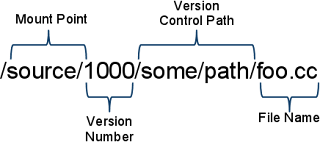
Here at Google, all products are built from head. This approach has advantages: the code is open for anyone to explore and tinker with, it avoids the headaches associated with merging long-lived branches, and building from source ensures there are no binary compatibility issues between libraries. The downside is, with over a hundred million lines of code, it takes a long time to check out. And Google is a global company, which means checkout times are amplified in distributed offices. By computing dependency graphs and using this information to limit the number of files checked out, we have been somewhat successful in reducing checkout time. However, computing dependencies also takes time, and even with this improvement things still took too long.

Engineer time lost to checking out code is the most obvious cost, but the true cost is much higher. Automated build and testing systems also need access to source code. Time spent checking out code in these systems increases the feedback cycle, which decreases their utility. It also increases the complexity of these systems since they are required to maintain state on a file system and interact closely with the version control system for what is essentially read-only access to source code.

In fact, we have found that engineers check out and edit a very small amount code relative to the amount read to perform builds. This is because we always build from source, and changes tend to be localized to a small part of our source tree. So, both engineers and automated systems primarily need quick, read-only access to the large quantity of unedited code required to perform their builds. The unedited code itself is immutable, since it doesn’t change once it’s checked in to the version control system. This means we can use Google infrastructure to mirror all version control information in the cloud as a way to provide fast and scalable read-only access to source code.


Read more: Google Engineering Tools blog
QR: build-in-cloud-accessing-source-code.html

Posted via email from Jasper-net

10 Chrome Extensions For Extremely Amazing Google Plus Experience

|
Google+ is getting famous day by day. It already has 10 million users. So if you want to ameliorate your Google+ experience then read this article as we have got a list of 10 Chrome extensions that will make do the work amazingly! Follow  me on Google +

1. Surplus:

Does opening your browser gaian and again to see a comment or post irritates you? If so, then use Surplus as is a great extension that adds Google+ to a pop up window, so you don’t need to open the browser to see a comment or post.

Surplus.png


2. Start G+:

This extension lets you share your articles on Twitter and Facebook right away from Google+ post interface. It can prove to be of quite help!

Start-G.png

Read more: Smashing hub
QR: 10-chrome-extensions-for-extremely-amazing-google-plus-experience.htm

Posted via email from Jasper-net

Is 320 firmware buggy?

|
intel320-238545.jpg

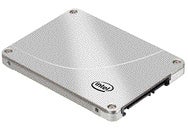
Intel is investigating a potential bug that may be causing SSD 320 solid-state drives to fail. The company is offering replacement drives to affected customers until the issue is resolved, a customer service representative said.

In Intel forums, users are complaining about SSD 320 drives crashing due to power issues, causing data loss. In some instances the storage capacity on the drive is being reported as only 8MB after the crash.

"We are investigating the issue," Intel spokesman Daniel Snyder said via email. "Any customer with concerns should call Intel customer support."

An Intel technical support representative said that until the issue is resolved, affected customers will be sent a replacement drive. Intel's customer support contacts are listed on its website. The company also offers live chat support.

Read more: Intel Support community
QR: 22227

Posted via email from Jasper-net

Apple releases iOS 4.3.4/4.2.9 to fix JailBreakMe.com flaw

|
After a little more than a week after disclosure, Apple has patched three flaws in iOS for iPod Touch, iPad, iPad2, iPhone 3GS, iPhone 4 and the Verizon iPhone.

You may recall the return of the website JailBreakMe.com 10 days ago which exploited these vulnerabilities to provide an easy method of jailbreaking your iDevice.

The updated version for all but the Verizon iPhone is version 4.3.4, while Verizon customers can update to 4.2.9. To update just open iTunes, check for updates and plug in your phone/MP3 player/tablet.

This raises one of my big pet peeves with Apple products.. Why do I have to tether to update? Oh! I see you will have that feature in iOS 5? I guess I will stay vulnerable until I happen to be in the same city as my copy of iTunes...

JailBreakMe do not update warningTwo of the fixes are for font handling issues in PDFs that allow for remote code execution (RCE). The third fix is in the graphics handling code and can be exploited to allow for elevation of privilege (EoP).


Read more: Naked security
QR: https://chart.googleapis.com/chart?chs=80x80&cht=qr&choe=UTF-8&chl=http://nakedsecurity.sophos.com/2011/07/15/apple-releases-ios-4-3-44-2-9-to-fix-jailbreakme-com-flaw/

Posted via email from Jasper-net

Display images inside a GridView in Android using VS 2010

|
Introduction

The GridView view mode displays a list of data items by binding data fields to columns and by displaying a column header to identify the field. The column cells and the column header of a GridViewColumn have the same width. By default, each column sizes its width to fit its content. Optionally, you can set a column to a fixed width. Related data content displays in horizontal rows.

GridView in Android

GridView is a ViewGroup in ehich you can displays items in a two-dimensional and also scrollable grid. By using ListAdapter you can add items in the grid the items are automatically inserted to the layout. GridView is basically used to create more interactive app widgets on the users Home screen. You can use the GridView view together with ImageView views to display a series of images.

The table below shows the XML Attributes which you have to use while working with GridView XML file:


Attribute Name Related Method Description
android:columnWidth setColumnWidth(int) Used for width for each column.
android:gravity setGravity(int) Used for gravity within each cell.
android:horizontalSpacing setHorizontalSpacing(int) Used for default horizontal spacing between columns.
android:numColumns setNumColumns(int) Used for how many columns want to show.
android:stretchMode setStretchMode(int) Used for fill the available empty space.
android:verticalSpacing setVerticalSpacing(int) Used for default vertical spacing between rows.


Read more: C# Corner
QR: https://chart.googleapis.com/chart?chs=80x80&cht=qr&choe=UTF-8&chl=http://www.c-sharpcorner.com/UploadFile/manish1231/8288/

Posted via email from Jasper-net

C# Iterating Cookies Returned Back from Server

|
When sending a request via the HTTP protocol to specific URL we might get back together with the response various HTTP headers. Among those headers we might identify specific headers that instruct our browser to create cookies. We can easily iterate the cookies we get from the server by using a CookieContainer object we can attach our HttpWebRequest object. Once the HttpWebResponse object is acccessible we can refer its Cookies property that holds a collection of all cookies the server returned. This following video clip shows how to do it.

Read more: Life Michael
QR: c-iterating-cookies-returned-back-from-server.aspx

Posted via email from Jasper-net

Google+ invite scam spreads on Facebook via rogue application

|
A rogue application is spreading via Facebook, claiming to offer easy invitations to Facebook's new rival in the social network market, ">Google+.

Many Facebook users have had messages like the following appear on their newsfeed:

google-1.jpg?w=640


Read more: Naked security
QR: https://chart.googleapis.com/chart?chs=80x80&cht=qr&choe=UTF-8&chl=http://nakedsecurity.sophos.com/2011/07/13/google-plus-invite-scam-facebook/

Posted via email from Jasper-net

Google introduces Android native application tester

|
Google has introduced NativeDriver, a testing framework for native Android applications modelled on its web testing WebDriver framework; the company says it has an iPad/iPhone version on the way and is prototyping a Windows version.

NativeDriver allows developers to create automated tests for applications by allowing the creation of a "driver" which can control the application by pressing buttons, virtually reorienting the device, navigating between views and other user-like manipulations. The NativeDriver duplicates the WebDriver API which Google uses to perform automated tests on web applications. WebDriver was introduced in 2009 and has since been incorporated into other test frameworks. The developers believe that this will simplify things for test designers as they will only have one API to learn in order to test both web and native apps. A short video shows the NativeDriver controlling Google's Maps application on a handset.

Read more: The H open
QR: Google-introduces-Android-native-application-tester-1266409.html

Posted via email from Jasper-net

40 Hand Picked Free Fonts for Designers

|
The importance of typography in design can’t be overvalued. The accuracy, precision and balance of geometric forms can give letters the elegance and sharpness they deserve. Besides, elegant fonts can help to convey the message in a more convenient way.
Designer wants to make his artwork amazing and memorable; and for that he makes lots of effort. we’ve regularly collected high-quality fonts available for free download and free to use for personal or/and commercial projects. In this article we’d like to present an overview of over 40 Professional free fonts you might use for your professional designs in 2011. What is your favourite?


Read more: Smashing hub
QR: hand-picked-fonts-for-designers.htm

Posted via email from Jasper-net

How to Create Triggers in MySQL

|
This is the second article in a series about database automation with triggers and events. A trigger is SQL code which is run just before or just after an INSERT, UPDATE or DELETE event occurs on a particular database table. Triggers have been supported in MySQL since version 5.0.2.

...
...

Creating a Trigger

We now require two triggers:

    When a record is INSERTed into the blog table, we want to add a new entry into the audit table containing the blog ID and a type of ‘NEW’ (or ‘DELETE’ if it was deleted immediately).
    When a record is UPDATEd in the blog table, we want to add a new entry into the audit table containing the blog ID and a type of ‘EDIT’ or ‘DELETE’ if the deleted flag is set.

Note that the changetime field will automatically be set to the current time.

Each trigger requires:

    A unique name. I prefer to use a name which describes the table and action, e.g. blog_before_insert or blog_after_update.
    The table which triggers the event. A single trigger can only monitor a single table.
    When the trigger occurs. This can either be BEFORE or AFTER an INSERT, UPDATE or DELETE. A BEFORE trigger must be used if you need to modify incoming data. An AFTER trigger must be used if you want to reference the new/changed record as a foreign key for a record in another table.
    The trigger body; a set of SQL commands to run. Note that you can refer to columns in the subject table using OLD.col_name (the previous value) or NEW.col_name (the new value). The value for NEW.col_name can be changed in BEFORE INSERT and UPDATE triggers.

The basic trigger syntax is:


CREATE
    TRIGGER `event_name` BEFORE/AFTER INSERT/UPDATE/DELETE
    ON `database`.`table`
    FOR EACH ROW BEGIN
        -- trigger body
        -- this code is applied to every
        -- inserted/updated/deleted row
    END;

We require two triggers — AFTER INSERT and AFTER UPDATE on the blog table. It’s not necessary to define a DELETE trigger since a post is marked as deleted by setting it’s deleted field to true.

The first MySQL command we’ll issue is a little unusual:


DELIMITER $$


Read more: Sitepoint
QR: https://chart.googleapis.com/chart?chs=80x80&cht=qr&choe=UTF-8&chl=http://www.sitepoint.com/how-to-create-mysql-triggers/

Posted via email from Jasper-net