This is a mirror of official site: http://jasper-net.blogspot.com/

Google Plus WordPress Theme

| Thursday, July 21, 2011
google-plus-wordpress-theme.jpg

Introducing the Google Plus WordPress theme called Reflex Plus developed by me (Naeem Noor). The theme is of course inspired by the new Social Media Site Google+. Reflex Plus is my first ever publicly released WordPress theme ever. It’s a simple minimalist 3 columns design, amazingly fast and jQuery Powered read more pagination.
Theme Features

    3 Columns Minimal Design
    Google+ Inspired
    Valid Xhtml & CSS3
    Custom Menus compatible
    Post thumbnails support
    jQuery Powered read more pagination
    Fixed width
    GPL Licensed


Read more: CSSReflex
QR: https://chart.googleapis.com/chart?chs=80x80&cht=qr&choe=UTF-8&chl=http://www.cssreflex.com/2011/07/google-plus-wordpress-theme.html/

Posted via email from Jasper-net

MonoDevelop on Lion

|
We here at Xamarin are as excited as you are about the release of Lion. But unfortunately we're not quite ready to support you on Lion yet, and MonoDevelop doesn't work quite right. We're working around the clock to make MonoDevelop work perfectly on Lion, and we'll let you know as soon as it's ready.

Read more: Personal blog of Miguel de Icaza
QR: Jul-20.html

Posted via email from Jasper-net

Defrag: SSD Questions, Tagging Files, Mirroring Drives, Hardware Hacks

|
Microsoft tech troubleshooter extraordinaire Gov Maharaj and I help walk you through troubleshooting solutions to your tech support problems. If you have a problem you want to send us, you can use the Problem Step Recorder in Windows 7 (see this for details on how) and send us the zip file to DefragShow@microsoft.com. We will also be checking comments for problems, but the email address will let us contact you if needed.

00:20  Eric Meijer and Charles interview Gov Maharaj.
04:12  All About SSDs - How do you know TRIM is enabled?
07:00  Is there any benefit to a defrag on an SSD?  
08:42  What's the fastest way to connect a SSD
09:44  Can I tag text files like I do pictures in Windows 7?
12:53  Monitor no longer wakes from sleep. 
14:42  Can I mirror my C: drive to another drive as a backup while Windows is running?
18:32  Will a "low level format" fix a thumbdrive that has bad sectors?
22:21  Deleted Thumbs.db and Desktop.ini, now having problems.
27:12  Windows crashes non-responding app too soon, is there a way to make it wait longer?
30:30  Hacking hardware - our pick of the week is Sugru.


Read more: Channel9
QR: Defrag-SSD-Questions-Tagging-Files-Mirroring-Drives-Hardware-Hacks

Posted via email from Jasper-net

10 dirty little secrets you should know about working in IT

|
10.) The pay in IT is good compared to many other professions, but since they pay you well, they often think they own you

Although the pay for IT professionals is not as great as it was before the dot-com flameout and the IT backlash in 2001-2002, IT workers still make very good money compared to many other professions (at least the ones that require only an associate’s or bachelor’s degree). And there is every reason to believe that IT pros will continue to be in demand in the coming decades, as technology continues to play a growing role in business and society. However, because IT professionals can be so expensive, some companies treat IT pros like they own them. If you have to answer a tech call at 9:00 PM because someone is working late, you hear, “That’s just part of the job.” If you need to work six hours on a Saturday to deploy a software update to avoid downtime during business hours, you get, “There’s no comp time for that since you’re on salary. That’s why we pay you the big bucks!”

9.) It will be your fault when users make silly errors
8.) You will go from goat to hero and back again multiple times within any given day
7.) Certifications won’t always help you become a better technologist, but they can help you land a better job or a pay raise


Read more: TechRepublic
QR: 546

Posted via email from Jasper-net

T-SQL Tuesday #20 – T-SQL Best Practices

|
Here we go again! It’s T-SQL Tuesday #20 – a monthly blog party, this time hosted by Amit Banerjee. (Thanks Amit!) This month, we’re talking about “T-SQL Best Practices”.

I used to write a lot more T-SQL than I do now. I had lots of rules for how T-SQL was written in my shop. But rather than sharing that extensive document, today I want to share with you my top three pieces of T-SQL advice.

KISS (Keep It Simple, Developer)

There are a lot of ways to solve problems in T-SQL. Once you get beyond a simple SELECT or UPDATE, you can really start playing. Derived tables, Common Table Expressions, CASE statements, aggregation, cursors, window functions, functions, pivoting…the things you can play with are endless. One of the beautiful things about T-SQL is that there is almost always more than one way to solve a problem.

Remember, though, to keep it simple. Someday, someone else will need to read that code, and interpret it, and possibly (gasp) edit it. It could even be you.

Table Aliases

No, you don’t need to ask people in the office to start calling you by your Twitter handle (no matter how funny that would be). SQL Server includes a “correlation name” or “range variable” to make FROM statements more easily readable. It’s also known as a “table alias”.

A table alias is easy to implement, and saves trouble in the long run. How? Let’s look at this simple query:

    SELECT Customer.CustomerID, SalesOrderID, OrderDate, TotalValue
    FROM Customer
    INNER JOIN SalesOrder ON SalesOrder.CustomerID = Customer.CustomerID

It’s a pain to reference a field with the full table name. And while this query is readable, what table does “OrderDate” reside in? Can you easily tell?

Try this version instead:

    SELECT CUST.CustomerID, SO.SalesOrderID, SO.OrderDate, SO.TotalValue
    FROM Customer CUST
    INNER JOIN SalesOrder SO ON SO.CustomerID = CUST.CustomerID


Read more: Less than dot
QR: t-sql-tuesday-20-t

Posted via email from Jasper-net

VirtualBox 4.1 has been released! PPA Ubuntu

|
images-stories-Virtual_Network_Editor-400x385.png

Oracle today released VirtualBox 4.1, a new major release. Introducing VM clones, this mean the ability to clone virtual machines via the GUI and VBoxManage.virtualbox the New Advanced wizard for creating new virtual disks and virtual disk copy also for 64-bit memory limit is up to 1 TB. For guest Additions, status of modules and features can now be queried separately by the frontends, Experimental support for PCI passthrough for Linux hosts

 Check the changelog for a complete info about this release.

Read more: Unixmen
QR: 1829-virtualbox-41-has-been-released-ppa-ubuntu

Posted via email from Jasper-net

Make money with In-App Payments for the Web

| Wednesday, July 20, 2011
Cross-posted from the Google Commerce Blog.

At the Google I/O conference back in May, Vikas Gupta introduced a preview of the Google In-App Payments API during the Chrome keynote speech. Google In-App Payments purchases were demonstrated as a simple click right within a web app, so buyers could enjoy a developer’s content, without interruption.

Today, we’re making Google In-App Payments available for all web application developers to integrate with their web apps wherever they’re hosted, including the Chrome Web Store. Integration is simple with just a few lines of code. And pricing is set at just 5-percent.

Read more: Google code
QR: make-money-with-in-app-payments-for-web.html

Posted via email from Jasper-net

It's All About the SynchronizationContext

|
Multithreaded programming can be quite difficult, and there’s a tremendous body of concepts and tools to learn when one embarks on this task. To help out, the Microsoft .NET Framework provides the SynchronizationContext class. Unfortunately, many developers aren’t even aware of this useful tool.

Regardless of the platform—whether it’s ASP.NET, Windows Forms, Windows Presentation Foundation (WPF), Silverlight or others—all .NET programs include the concept of SynchronizationContext, and all multithreading programmers can benefit from understanding and applying it.
The Need for SynchronizationContext

Multithreaded programs existed well before the advent of the .NET Framework. These programs often had the need for one thread to pass a unit of work to another thread. Windows programs were centered on message loops, so many programmers used this built-in queue to pass units of work around. Each multithreaded program that wanted to use the Windows message queue in this fashion had to define its own custom Windows message and convention for handling it.

When the .NET Framework was first released, this common pattern was standardized. At that time, the only GUI application type that .NET supported was Windows Forms. However, the framework designers anticipated other models, and they developed a generic solution. ISynchronizeInvoke was born.

The idea behind ISynchronizeInvoke is that a “source” thread can queue a delegate to a “target” thread, optionally waiting for that delegate to complete. ISynchronizeInvoke also provided a property to determine whether the current code was already running on the target thread; in this case, queuing up the delegate would be unnecessary. Windows Forms provided the only implementation of ISynchronizeInvoke, and a pattern was developed for designing asynchronous components, so everyone was happy.

Version 2.0 of the .NET Framework contained many sweeping changes. One of the major improvements was introducing asynchronous pages to the ASP.NET architecture. Prior to the .NET Framework 2.0, every ASP.NET request needed a thread until the request was completed. This was an inefficient use of threads, because creating a Web page often depends on database queries and calls to Web services, and the thread handling that request would have to wait until each of those operations finished. With asynchronous pages, the thread handling the request could begin each of the operations and then return back to the ASP.NET thread pool; when the operations finished, another thread from the ASP.NET thread pool would complete the request.

Read more: MSDN Magazine
QR: gg598924.aspx

Posted via email from Jasper-net

WCF Extensibility – Custom Serialization in Silverlight

|
This post is part of a series about WCF extensibility points. For a list of all previous posts and planned future ones, go to the index page.

This post takes a detour from the normal flow of the series, since I was working on a scenario last week which I think will add value to the series as a whole. On the post about contract behaviors, I showed an example of how to hook up a custom serializer to the WCF pipeline. That sample used the DataContractSerializerOperationBehavior extensibility in which you could inherit from that class, override the CreateSerializer methods and replace that behavior on the operation with your own custom class. That’s fairly simple and has been done extensively in WCF. However, this doesn’t work in Silverlight. This post isn’t about one specific extensibility point, but about a scenario which can be covered by the extensibility points already covered in this series, in a different platform.

The WCF portions of Silverlight is a subset (*) of the full framework. Due to many restrictions in the Silverlight platform, such as the sandbox, support for multiple OS, and primarily size (the runtime download time could not be too large, otherwise people might give up installing it), many features in the full WCF didn’t make it into SL. Other features actually went in, but in order to reduce the (large) number of extensibility points, they were made internal. The class DataContractSerializerOperationBehavior is one of those which didn’t make the cut, and for most of the cases it hasn’t been a problem – SL has been released for about 3 years now and only recently I’ve seen a couple of requests for being able to replace the serializer in SL.

(*) It’s not really a proper subset, as there are some features in SL which aren’t available in the full framework, such as the classes in the System.Json namespace; they may eventually make it to the framework, but at this time they’re only available in the WCF Codeplex site.
Real World Scenario: expanding custom serialization to Silverlight

The first thing to be able to replace the DataContractSerializerOperationBehavior in SL is to actually find out what it does at the client side. I’ve been using Reflector (while it’s free) and it shows that the ApplyClientBehavior method does two things: determines whether the operation input / output should be serialized (if the operation uses untyped messages, then no serialization is necessary, and it then creates the client formatter which will be used to serialize / deserialize the request / reply. So like in the desktop case, our new operation behavior will do something similar. Also, like in the DataContractSerializerOperationBehavior, I’ve made the method CreateSerializer virtual, so that it can be extended to easily replace the serializer.

Read more: Carlos' blog
QR: wcf-extensibility-custom-serialization-in-silverlight.aspx

Posted via email from Jasper-net
Log Parser 2.2

| Tuesday, July 19, 2011
Overview

Log parser is a powerful, versatile tool that provides universal query access to text-based data such as log files, XML files and CSV files, as well as key data sources on the Windows® operating system such as the Event Log, the Registry, the file system, and Active Directory®. You tell Log Parser what information you need and how you want it processed. The results of your query can be custom-formatted in text based output, or they can be persisted to more specialty targets like SQL, SYSLOG, or a chart.

Most software is designed to accomplish a limited number of specific tasks. Log Parser is different... the number of ways it can be used is limited only by the needs and imagination of the user. The world is your database with Log Parser.

Read more: MS Download
Read more: Slashdot (C# example)
QR: details.aspx?displaylang=en&id=24659

Posted via email from Jasper-net

Remove PPAs Which Cause 404 Not Found Errors In Ubuntu With Fix404 PPA

|
Fix-404.png

Entering the wrong PPA (Private Package Repository)  in the Ubuntu Terminal results in a 404 Not Found error. This error can result in the slow down of the apt-get update and seems pretty annoying. Fix404 PPA is a script which disables the PPAs that cause 404 Not Found errors. It provides the convenience of not having to disable faulty PPAs from Software Sources. Fix 404 PPAs checks for 404 messages for PPAs and alerts you to disable them.

Fix 404 can be installed in Ubuntu 11.04 Natty by entering the following commands in the Terminal:

sudo apt-add-repository ppa:lkjoel/fix404
sudo apt-get update
sudo apt-get install fix404

If you are using a pre-Natty version, a Deb package can be downloaded from the Launchpad link given at the end of this post. If you would like to try out a software which can help you easily search and add application PPAs from Launchpad, then check out YPPA Manager.

Read more: Addictive tips
QR: https://chart.googleapis.com/chart?chs=80x80&cht=qr&choe=UTF-8&chl=http://www.addictivetips.com/ubuntu-linux-tips/remove-ppas-which-cause-404-not-found-errors-in-ubuntu-with-fix404-ppa/

Posted via email from Jasper-net

How To Jailbreak and Upgrade Old Android Phones

|
InfoWorld's Serdar Yegulalp provides an in-depth tutorial on how he rooted and upgraded his Motorola Cliq XT, one of many Android phones made infamous for not receiving further Android updates beyond 1.5. 'It turned out to be quite an odyssey, with twists and turns I describe here in order to help those who wish to embark on a similar journey,' Yegulalp writes. 'Was it worth the trouble? Yes, in the sense that learning how to jailbreak your own phone is a valuable skill, and I got much more functionality out of the Cliq, when I was expecting to simply junk it.

Read more: Slashdot
QR: How-To-Jailbreak-and-Upgrade-Old-Android-Phones

Posted via email from Jasper-net

What Are The 20 Most Expensive Keyword Categories In Google AdWords?

|
WordStream, a venture capital-backed provider of hosted software that automates most of the manual work involved with creating and optimizing both paid and natural search engine marketing campaigns, has done some research to discover which keyword categories fetch the highest costs per click (CPC) in Google’s AdWords solution.

And of course, they made an infographic based on the results of their research (embedded below).

WordStream compiled data from its own, vast keyword database and the Google Keyword Tool to determine the top 10,000 most expensive English-language keywords over a 90-day period.

Subsequently, the list was organized into categories by theme. The largest keyword categories were then determined by weighting the number of keywords within each category, as well as the estimated monthly search volume and average cost per click for each keyword.

For the record, Google AdWords is an auction-based marketplace where advertisers bid on keywords to compete for top ad placement, with a minimum bid of 5 cents per keyword (update: actually, there’s no longer a minimum bid for CPC campaigns).

The top twenty keyword categories that demanded the highest costs per click are:

1. Insurance (example keyword: “auto insurance price quotes”)
2. Loans (example keyword: “consolidate graduate student loans”)
3. Mortgage (example keyword: “refinanced second mortgages”)
4. Attorney (example keyword: “personal injury attorney”)
5. Credit (example keyword: “home equity line of credit”)
6. Lawyer
7. Donate
8. Degree
9. Hosting
10. Claim
11. Conference Call
12. Trading
13. Software
14. Recovery
15. Transfer
16. Gas/Electricity
17. Classes
18. Rehab
19. Treatment
20. Cord Blood


Read more: TechCrunch
QR: https://chart.googleapis.com/chart?chs=80x80&cht=qr&choe=UTF-8&chl=http://techcrunch.com/2011/07/18/most-expensive-google-adwords-keywords/

Posted via email from Jasper-net

Test Driving GNU Hurd, With Benchmarks Against Linux

|
After last week's news that GNU Hurd is coming, Phoronix set out to install Debian GNU Hurd and to provide GNU Hurd vs. Linux benchmarks. Linux was mostly faster than The Hurd while also having much better hardware support, multi-core SMP support, and other modern functionality.

Read more: Slashdot
QR: Test-Driving-GNU-Hurd-With-Benchmarks-Against-Linux

Posted via email from Jasper-net

LulzSec Hacks Murdoch-Owned ‘The Sun,’ Redirects Homepage To @LulzSec Twitter Account

|
screen-shot-2011-07-18-at-2-53-07-pm.png?w=640

Looks like hacker group LulzSec is back in action, this time redirecting the homepage of the Murdoch-owned The Sun (http://www.thesun.co.uk/sol/homepage/) to a fake story about Murdoch’s death from a drug overdose located on the Murdoch-Owned London Times URL http://www.new-times.co.uk/sun. After the amount of requests caused a 404 failure on the Times site, the group then redirected The Sun’s homepage to the @LuzSec Twitter account. (The original page is archived at http://freze.it/pX)

Read more: TechCrunch
QR: https://chart.googleapis.com/chart?chs=80x80&cht=qr&choe=UTF-8&chl=http://techcrunch.com/2011/07/18/lulzsec-hacks-the-sun-redirects-homepage-to-fake-murdoch-death-story/

Posted via email from Jasper-net

Build your own operating system

|
Ten years ago (around the year 2001) I wrote a simple x86 protected-mode OS just to find out how operating systems work. That was really great fun and I learned very much about OS concepts and paradigms (and also a lot of stuff about computer hardware, programming, software architecture, data structures etc.). Ever since the gathered experience and knowledge by building my own operating system has been extremely valuable.

I began by reading Andrew Tanenbaum's book "Operating Systems: Design and Implementation" during which I studied a lot of Minix source code. Later I also read his other books about modern operating systems and structured computer organization.
To get started with this challenging task, one needs some profound knowledge of the memory-management-unit (MMU) of the x86 CPU and its protected mode. To me, the best known tutorial on the web is the "Protected Mode Tutorial" by Jens Hohmuth of the Westsächsische Hochschule Zwickau. Sadly, this tutorial is only available in german. If you do not speak german you may try to translate it with Google Translate. The best parts of the tutorial are its great assembly language examples for Borland's TASM and Microsoft's MASM. I typed in all the examples by hand and played with them until I understood every single line of code :-). What is also helpful to understand the MMU and protected-mode of the x86 CPU is Intels Architecture Software Developer’s Manual and Hans-Peter Messmer's book The Indispensable PC Hardware Book.

Read more: Daniel's Blog
QR: build-your-own-operating-system.html

Posted via email from Jasper-net

COM ByteArray and Dynamic type issues in .NET

|
In .NET 4.0 the dynamic type has made it A LOT easier to work with COM interop components.  I'm still working quite a bit with customers that need to work with FoxPro COM objects in .NET and there are some extra fun issues to deal with when working with COM SafeArrays (byte arrays) returned from a COM client. Currently I'm working with a customer who needs to work with Web Services that publish and capture a lot of binary data. A couple of interesting things came up when returning byte arrays over COM to .NET via a dynamic type.

I've written about COM binary arrays before in a previous post. The issue is that when you make a COM call to retrieve a binary result from a COM object the result gets returned as byte[*] type rather than byte[].

To demonstrate imagine you have a simple COM client that returns a binary result as a SafeArray of bytes. The following dumbed down example is a FoxPro method in  COM published component where an object is returned that contains a ByteResult property that holds binary data:

************************************************************************
*  SendBinaryFile
****************************************
FUNCTION SendBinaryFile(lcPath)
LOCAL lvBinary, lcBinary, loResult as ServiceResult

TRY
    *** Grab the file from disk into a string
    lcBinary = FILETOSTR(lcPath)

    *** Turn the string to binary - over COM this turns into a SAFEARRAY
    lvBinary = CREATEBINARY(lcBinary)  && OR CAST(lcBinary as Q)

    *** Return value is standard Service Response object
    loResult = CREATEOBJECT("ServiceResult")

    *** Attach the binary response to the ServiceResult
    loResult.ByteResult = lvBinary
CATCH TO loException
    loResult = this.ErrorToServiceResult(loException,20)
ENDTRY

RETURN loResult
ENDFUNC

The interesting part in relation to this post is the binary result which in this case is the content of a file. Internally FoxPro treats binary values as strings since it's stuck with ANSI codepages, so string can easily contain binary data. However FoxPro cannot return that string as a binary value over COM. In order to return a binary value the value needs to be explicitly converted using CREATEBINARY() or CAST(val as Q) which turns it into a SAFEARRAY when passed back over COM. This binary value is then assigned to a ServiceResult object that returns actual result value(s) back to the .NET Web Service which in turn publishes these values through the Service interface.

Read more: Rick Strahl blog
QR: COM-ByteArray-and-Dynamic-type-issues-in-NET

Posted via email from Jasper-net

Mapping the Memory Usage of .NET Applications: Part 2, VMMap and MemoryDisplay

|
How can you map the memory usage of your .NET application? We'll start with VMMap, a free Sysinternals tool that visualizes your process' virtual address space. Below is VMMap's output for an example process:

image_thumb_7C5C2A51.png

The type statistics give you a detailed overview of how memory usage is distributed – there are 240MB of DLLs, 50MB of managed heaps (of which only 10MB are committed), etc. In the bottom details view you can see each individual address range on the heap, including its type, size, committed size, and other details (such as DLL names for the "Image" type and file names for the "Mapped File" type).

Within the GC heap, VMMap features the ability to identify the various generations (and the Large Object Heap) within the GC segments:

image_thumb_1D5BAEC7.png

Read more: All Your Base Are Belong To Us
QR: mapping-the-memory-usage-of-net-applications-part-2-vmmap-and-memorydisplay.aspx

Posted via email from Jasper-net

Effective Website Designs with Dark Color Schemes

|
Not everyone can pull off a dark color scheme, especially for a website design. Going too dark results in a barely navigable site. You also run the risk of being too edgy, too depressing, or even too boring.

The best websites with dark color schemes seem to include common elements and techniques for making the design work. High contrast, the perfect amount of textures, and knowing which fonts need to be light and which can be a middle hue all seem to be a part of the effective use of dark colors in websites. The following sites have done an excellent job of balancing the use of dark colors in their design. Take a peek to see what seems to work for each of the websites below, and maybe gather some ideas for your own darkly colored designs as well.

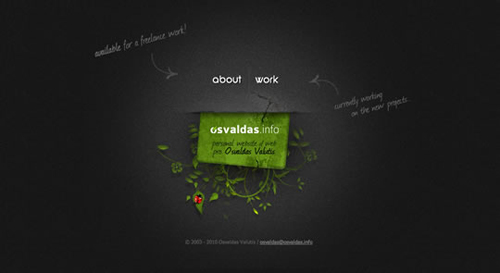
Osvaldas.info

09_osvalda.jpg

Read more: Design your way
QR: https://chart.googleapis.com/chart?chs=80x80&cht=qr&choe=UTF-8&chl=http://www.designyourway.net/blog/inspiration/effective-website-designs-with-dark-color-schemes/

Posted via email from Jasper-net

Troubleshooting with the New Sysinternals Administrator’s Reference

|
Aaron Margosis and I are thrilled to announce that the long awaited, and some say long overdue, official guide to the Sysinternals tools is now available! I’ve always had the idea of writing a book on the tools in the back of my mind, but it wasn’t until a couple of years ago that Dave Solomon, my coauthor on Windows Internals, convinced me to pursue it. After a few false starts, I decided that a coauthor would help get the book done more quickly, and turned to Aaron, a good friend of mine who’s also a long-time user and expert on the tools at his day job in the Federal Division of Microsoft Consulting Services. It was a great choice and I’m proud to put the Sysinternals brand on the book.

Whether you’re new to the tools or have been using them since Bryce Cogswell (my Sysinternals and Winternals Software cofounder, now retired) and I released NTFSDOS in 1996, you’re sure to take away new insights that will give you the edge when tackling tough problems and managing your Windows systems.

The book covers all 70+ tools, with chapters dedicated to the major tools like Process Explorer, Process Monitor, and Autoruns. For each we provide a thorough tour of all of the tool’s features, how to use the tool, and include our favorite tips and techniques. There’s no better way to learn than by example, though.  The last section of the book will be familiar to anyone that’s read this blog or watched my Case of the Unexplained conference sessions, because it presents 17 real-world cases that show how Windows power users and administrators like you solved otherwise impossible-to-solve problems by using the tools.


Read more: Mark's Blog
QR: 3439288.aspx

Posted via email from Jasper-net